


Hey there! As a supplier of wall light detectors, I often get asked about how to reset these nifty devices. Wall light detectors are super handy. They can automatically turn on the lights when they sense movement, which is not only convenient but also a great energy - saver. In this blog, I'll walk you through the steps to reset a wall light detector and share some useful tips along the way.
Why Reset a Wall Light Detector?
Before we jump into the reset process, let's talk about why you might need to reset your wall light detector. Sometimes, these detectors can act up. Maybe they're triggering the lights at the wrong times, or they're not detecting movement at all. Other times, you might have just installed a new light fixture or made changes to your electrical system, and a reset can help the detector readjust.
Step - by - Step Guide to Reset a Wall Light Detector
Step 1: Turn Off the Power
The first and most important step is to turn off the power to the wall light detector. You don't want to get a shock while you're working on it! Locate your circuit breaker panel and find the switch that controls the power to the area where the wall light is installed. Flip the switch to the “off” position. It's always a good idea to double - check that the power is off by trying to turn on the light. If it doesn't come on, you're good to go.
Step 2: Wait for a Few Minutes
Once the power is off, give the detector a few minutes to completely discharge. This can range from 5 to 10 minutes. During this time, any residual electricity in the detector will drain away, and it will be ready for a fresh start. It's like giving your phone a little break to clear out any glitches.
Step 3: Turn the Power Back On
After the waiting period, go back to the circuit breaker panel and flip the switch back to the “on” position. Head back to the wall light. You should see the light come back on. If it doesn't, there might be a different issue, and you might need to check the wiring or the bulb.
Step 4: Test the Detector
Now that the power is back on, it's time to test the detector. Walk in front of the detector and see if the light turns on. Sometimes, you might need to adjust the sensitivity settings. Most wall light detectors have a small dial or button that you can use to increase or decrease sensitivity. If the light doesn't turn on, try adjusting the sensitivity and test it again.
Different Types of Wall Light Detectors and Their Reset Methods
There are a few different types of wall light detectors, and the reset process might vary slightly depending on the type.
Motion - Activated Detectors
Motion - activated detectors are the most common type. These detectors use infrared sensors to detect movement. If your motion - activated detector isn't working properly, the steps I mentioned above should do the trick. However, some high - end motion - activated detectors might have a reset button on the back or side of the unit. If you can find this button, press and hold it for a few seconds while the power is on. This can also reset the detector.
Photoelectric Detectors
Photoelectric detectors are designed to turn on the light when it gets dark. These detectors use a photocell to sense the ambient light level. To reset a photoelectric detector, you can follow the same power - off, wait, and power - on steps. Sometimes, you might need to clean the photocell if it's dirty, as this can affect its performance.
Tips for Maintaining Your Wall Light Detector
To keep your wall light detector working smoothly, here are some tips:
- Keep it Clean: Dust and dirt can accumulate on the detector over time, which can affect its sensitivity. Use a soft, dry cloth to gently wipe the detector every few months.
- Check the Batteries (if applicable): Some wall light detectors are battery - operated. If your detector uses batteries, make sure to check them regularly and replace them when they're low.
- Avoid Obstructions: Make sure there are no objects blocking the detector's field of view. Curtains, plants, or furniture can interfere with the detector's ability to sense movement or light.
Our Wall Light Detector Products
As a wall light detector supplier, we offer a wide range of high - quality products. For example, our LED Porch Wall Light is perfect for illuminating your porch. It comes with a built - in motion detector that can be easily reset using the steps I've described.

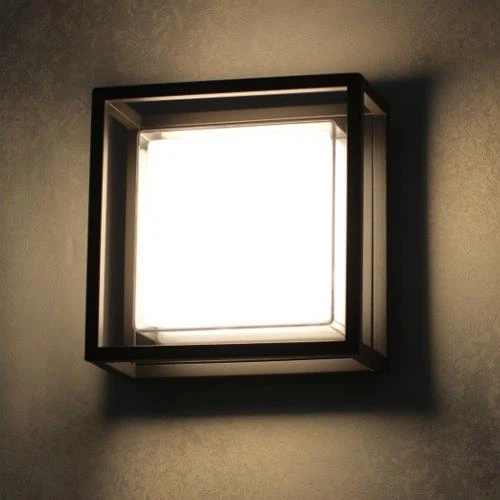
Another great product is our LED Surface Mounted Wall Light With Grille. This light not only looks stylish but also has a reliable detector. And if you're looking for a more basic option, our Surface Mounted Wall Light is a great choice. It's easy to install and maintain, and the detector can be reset with just a few simple steps.
Conclusion
Resetting a wall light detector is usually a simple process that you can do on your own. By following the steps I've outlined in this blog, you can get your detector back up and running in no time. If you're having any trouble or if you're interested in purchasing a new wall light detector, don't hesitate to reach out. We're here to help you find the perfect solution for your lighting needs. Whether you're looking for a detector for your home or a commercial property, we've got you covered. So, take the first step towards better lighting and contact us for more information and to start a purchase negotiation.
References
- "Home Lighting Guide" by DIY Home Improvement Magazine
- Manufacturer's manuals for wall light detectors


